

Documentation
Security reports
Generate an offline HTML report, interpret trace evidence and share results in JSON or SARIF.
HTML reporting
ngbastion scan --format html --output security-report.htmlOpen the file directly in your browser. The artifact contains its styles, script, font and scan data. It works offline and can be uploaded as a single CI artifact. The CLI requires an output file for HTML. Gate failures still produce a report.
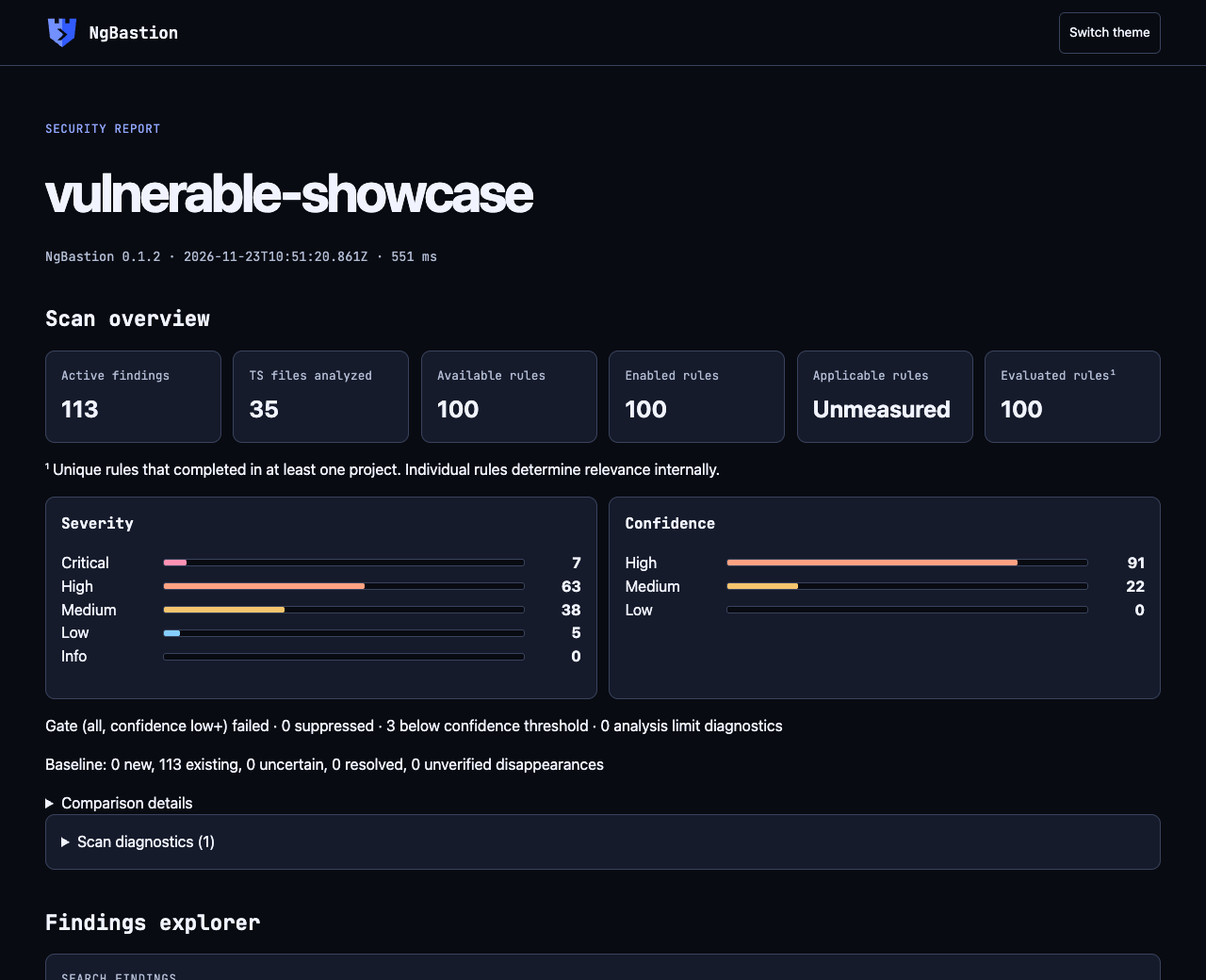
The overview counts active findings after suppression and confidence filtering. It reports registered rules, enabled rules and unique rules that completed in at least one project. The engine currently leaves applicability unmeasured. The diagnostic list includes parse failures, analysis limits and unresolved imports. A zero count applies to the observed scan coverage.
Search by rule, path, fingerprint or evidence. Combine filters and sort by severity, confidence, rule or location. Expand a finding to review its recorded source-to-sink steps in order, locations, confidence and remediation. Trace steps labeled trust-bypass retain that meaning. A heuristic match requires manual review. Available TypeScript expressions can be opened in the trace. Sensitive or unavailable source context is omitted.
Switch the theme with the header button. Browser Print or Save as PDF expands the filtered findings across all result pages. With JavaScript disabled, the static overview and expandable finding details remain available.
Sharing and redaction
ngbastion scan --format html --redact-source -o review.htmlUse redaction to omit snippets, expressions, finding messages, evidence text, suppression justifications and diagnostic messages. Paths, project names, rule metadata, identifiers and comparison metadata remain visible. Treat any shared report as internal project information. The ordinary report respects scanner-requested redactions. The HTML artifact encodes source text and restricts executable content to its packaged script by hash.
JSON reports
ngbastion scan --format json --output scan.jsonThe JSON v1 finding structure and its legacy fingerprint remain available. The CLI adds optional metadata under scan. The identities array maps legacy finding fingerprints to v2. The snapshot field carries the minimal records and coverage used for saved comparisons. With the corresponding CLI flags, comparison adds statuses keyed by v2 and git adds changed paths and associations. The published JSON schema describes these extensions.
SARIF and terminal
SARIF 2.1.0 includes trace locations in codeFlows, severity, confidence, suppression data and both fingerprint generations in partialFingerprints. Comparable current findings carry baselineState. Comparable disappearances produce results with state absent and the prior file path. Run properties retain the comparison details, including unverified prior entries. Git association appears in result properties. An uncertain comparison has no standard baseline state.
Terminal output supports --quiet, --verbose and --show-suppressed. A comparison adds status counts alongside the gate result. Use JSON for complete structured comparison details.
Continue with baselines and fingerprints or Git and report comparison.